Every small business near your college has the same problem. The owner of the coaching centre answers the same fee question on WhatsApp forty times a week. The local clinic copies enquiries from Instagram into a notebook. The boutique sends invoices by hand and forgets half the follow ups. None of them need a software engineer. They need someone who can connect a few tools, add a little AI where it genuinely helps, and leave behind something that keeps working.
That someone can be you. AI automation services, sold as small packaged offers, are one of the most practical ways for a student with basic technical skill to earn while studying. This guide covers what to offer, how to start in 30 days, how to price, and how to stay honest about what AI can and cannot do.
Why automation pays better than typical student work
Most student jobs sell time. Automation sells an outcome. When a shop owner stops losing leads, or an accountant saves an evening every week on reports, the value is visible and recurring.
It also suits students: startup cost is low because most tools have free tiers, the work is repeatable once you have built a flow for one client, automations need ongoing tweaks that can become monthly support, and real deployments impress recruiters far more than tutorial projects.
Earnings depend entirely on your skill, the niche you pick, and the effort you put into finding clients. There is no guaranteed number, and anyone promising one is selling you something.
Skills you need (and what you can skip)
You do not need to be an ML engineer. You need to be a careful builder who understands business processes.
Core skills
- Spreadsheet fluency: Google Sheets formulas, data validation, filters, and basic Apps Script.
- One no code automation platform: learn how triggers, actions, filters, and error handling work. The concepts transfer between tools.
- APIs and webhooks: what a request and a response look like, how authentication keys work, and how to read documentation.
- Basic scripting: Python or JavaScript for the cases where no code tools get clumsy, such as cleaning data or generating PDF reports.
- Prompt writing for business tasks: using ChatGPT, Claude, or Gemini to classify messages, draft replies, or summarise documents, with clear instructions and examples.
Packaged services you can offer
- WhatsApp and email auto replies for common questions, using official business tools and approved integrations, with a clear handover to a human.
- FAQ chatbot on a website or Instagram, trained only on the business's own approved answers.
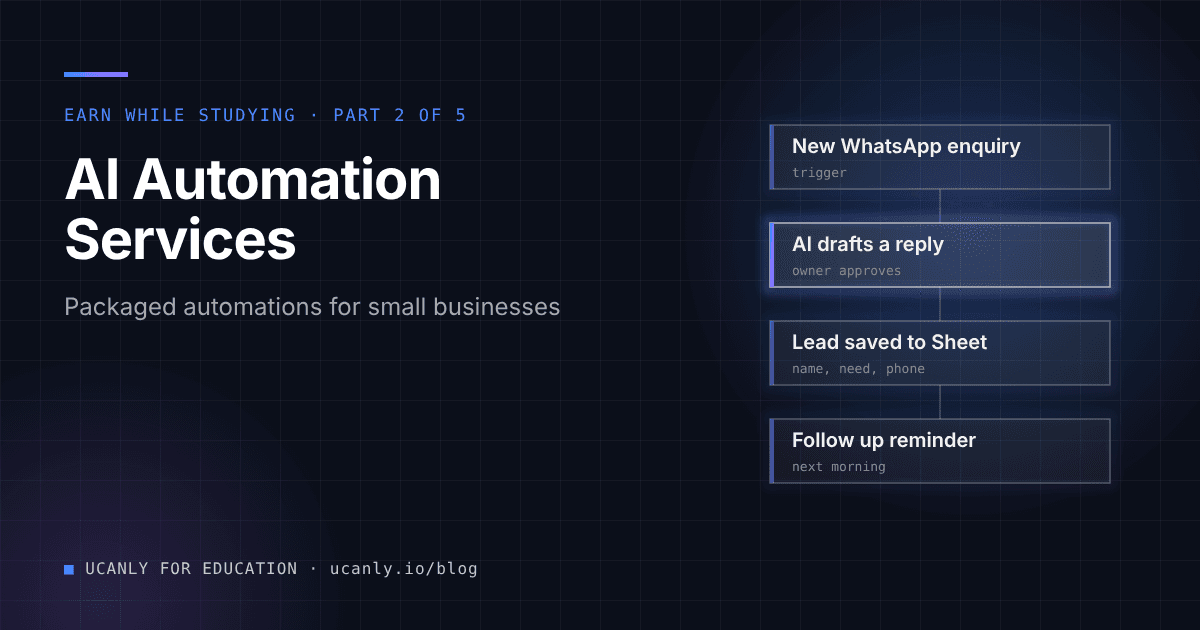
- Lead capture to Google Sheets from forms, ads, and messages, with an instant alert to the owner.
- Invoice and report automation: generating invoices from a sheet, sending payment reminders, and a weekly summary email.
- AI content workflows: turning one long video or blog into captions and post drafts that a human reviews before publishing.
If you are starting from zero, a structured path through our courses on Python, APIs, and AI tools will save you weeks of scattered tutorials.
A 30 day start plan
Days 1 to 7: learn by building for yourself
- Pick one automation platform and complete its official getting started material.
- Build a form that writes to Google Sheets and sends you an email alert.
- Write a small script that reads a sheet and creates a PDF invoice.
Days 8 to 14: build three demo projects
- Demo 1: a lead capture flow for an imaginary coaching centre, from form to sheet to WhatsApp or email alert.
- Demo 2: an FAQ assistant that answers only from a provided document and says "I will connect you to the team" when it is unsure.
- Demo 3: a weekly sales report emailed automatically from a sheet.
- Record a short screen video of each.
Days 15 to 21: package and prepare
- Turn each demo into a named package with a fixed scope, a delivery timeline, and what is not included.
- Create a one page portfolio with the videos, a short description, and the problem each solves.
- Prepare your outreach messages and a simple proposal template (below).
Days 22 to 30: get your first client
- Contact 20 to 30 local businesses and people in your network.
- Offer one pilot project at a reduced price in exchange for a written review and permission to show the work.
- Deliver it, document it, and ask for referrals.
Finding your first clients
Start with your own network
Your first clients are usually close: a relative's shop, the coaching centre you attended, a senior running a startup, a professor's lab drowning in spreadsheets, or your college fest team handling registrations.
Platforms, used carefully
Freelancing marketplaces, professional networking sites, and local business groups all have demand for automation help. Apply only where you can show a matching demo, and post short build logs showing a problem and your fix. Visible proof beats cold pitching.
Outreach template
Hi [Name], I am [Your Name], a [branch] student at [College]. I noticed your team answers a lot of enquiries on WhatsApp and Instagram. I build small automations that log every enquiry into a Google Sheet and send you an alert, so no lead is missed. Here is a 60 second video of one I built: [link]. Would you be open to a 15 minute call this week to see if it fits your business?
Proposal outline
- The problem in their words.
- What you will build, step by step.
- What is not included (very important).
- Tools used and who owns the accounts.
- Timeline and milestones.
- Price and payment terms.
- Support period after delivery.
- Data handling: what data is touched and where it is stored.
How to price your work
Do not copy random numbers from the internet. Build your price from a method:
- Estimate effort honestly. List every step: discovery call, building, testing, documentation, training, revisions. Add a buffer, because your first projects will take longer than you expect.
- Decide your hourly floor privately, based on what your time is worth to you given exams and classes. Multiply by your estimate.
- Check value. Ask the client what the problem costs them today: missed leads, staff time, late payments. Your price should be a small, sensible fraction of that value.
- Quote fixed packages, not open hours. Clients prefer certainty and you avoid scope creep.
- Separate one time setup from monthly support. Tool subscriptions should be paid by the client directly, in their own name.
- Raise prices after every few successful projects and reviews.
Always take part of the payment before you start, and put scope and payment terms in writing, even if it is a simple email both sides confirm.
Portfolio and proof checklist
- Three working demos with short screen recordings
- A one page case study for each: problem, solution, tools, result described qualitatively
- Handover document template: credentials owner, how to pause the automation, who to contact
- Written client reviews (only real ones, with permission)
- A GitHub repository for any scripts, with secrets removed
Honesty, data privacy, and mistakes to avoid
Be honest about what AI can and cannot do
AI models can draft replies, classify messages, and summarise text well. They can also produce confident wrong answers. Tell clients clearly:
- AI replies should be limited to approved information, with a human handover for anything sensitive, such as refunds, medical questions, or pricing exceptions.
- Generated content must be reviewed by a person before it is published.
- Automations break when a connected app changes, so monitoring matters.
A useful instruction pattern for an FAQ assistant:
You answer customer questions for [Business Name].
Use ONLY the information in the FAQ below.
If the answer is not in the FAQ, reply exactly:
"Thank you for asking. Our team will get back to you shortly."
Never discuss prices, refunds or medical advice beyond the FAQ.

FAQ:
[paste approved FAQ]
Protect client data
- Use the client's own accounts for every tool, so they own their data and can remove your access.
- Never paste customer phone numbers, health details, or financial information into personal AI accounts. Check each tool's data policy and prefer business settings that limit data retention.
- Store API keys securely, never in shared sheets or public repositories.
- Message customers only where they have agreed to be contacted, and follow each messaging platform's business policies. Unofficial bulk messaging tools can get a client's number banned.
- Remove your access when the engagement ends and document that you did.
Common mistakes and scams
- Overpromising results such as "AI will handle all your customers."
- Unpaid "test tasks" that are really full projects. Offer a demo of your existing work instead.
- Requests to share your own login details or pay a "registration fee" to get projects. Walk away.
Balancing studies, compliance, and your resume
Protecting study and placement time
Treat this like a lab course, not a full time job. Block fixed hours each week, tell clients your exam dates upfront, and take one project at a time. Keep DSA practice and core subjects going, because placements still test fundamentals.
Basic compliance notes
Keep simple records of every invoice, payment, and expense. Income from freelancing may be taxable, so learn the basics and consult a qualified professional if your income grows. Check your college rules and any scholarship, internship, or offer letter conditions about outside work. This is general guidance, not legal or tax advice.
How this strengthens your resume
Automation projects give you resume lines with real substance: integrating APIs, handling data securely, working with stakeholders, and shipping systems people depend on. Write them as outcomes, for example "Built a lead capture pipeline from web forms to Google Sheets with automated alerts for a local coaching centre."
Run your updated resume through our AI resume review to sharpen how you describe these projects, and browse the jobs board for automation, operations, and backend roles where this experience stands out.
What to do next
Pick one automation platform this week and build the form to sheet to alert flow. Turn it into a demo video, package it with a clear scope, and message five people in your network. Be honest about limits, protect client data, keep records, and protect your study time. Small, reliable automations teach you more about real world software than most semester projects.