Most student jobs pay you for time. Design and editing pay you for outcomes: an app screen that makes sense, a reel that holds attention, a YouTube video that keeps viewers watching. Creators, small brands, startups and local businesses across India now publish content every week, and many of them cannot afford a full time designer or editor. That gap is where a skilled student can earn steadily while still in college, and build a portfolio that recruiters can actually see.
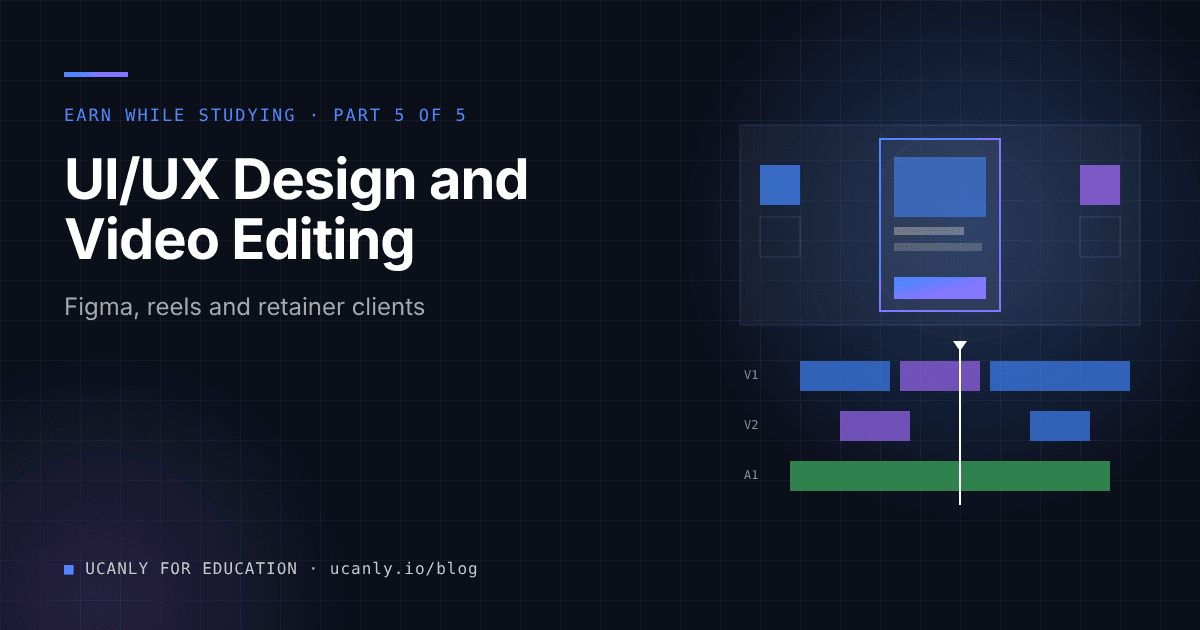
This guide covers two related skills: UI/UX design (app and website designs in Figma, plus social media creatives) and video editing (short form reels for creators and brands, and longer YouTube edits). You can pick one, or combine them into a single content and design offer.
Why design and editing pay better than typical student jobs
Tutoring, data entry and delivery work are usually priced per hour, and the ceiling is low because anyone can replace you. Design and editing are different for three reasons:
- The work is visible. A client can see the difference between a clean landing page and a messy one, so better work justifies a higher price.
- The demand is recurring. A creator who posts reels every week needs an editor every week. That turns one client into a retainer, which is predictable monthly work.
- The skill compounds. Every project adds to your portfolio, your speed improves, and you can raise prices as your proof grows.
Earnings depend entirely on your skill, niche, speed and effort. Nobody can promise a number, and you should be suspicious of anyone who does.
Skills you need and the free tools to learn them
UI and UX design
- Figma (the free plan is enough to start): frames, auto layout, components, variants, and prototyping.
- Design fundamentals: typography, spacing, alignment, colour contrast, visual hierarchy.
- UX thinking: user flows, wireframes, simple usability checks, and writing clear interface text.
- Social creatives: Canva or Figma for carousels, thumbnails and post templates in consistent brand styles.
Video editing
- Editors: DaVinci Resolve (strong free version), CapCut for quick vertical edits, and any editor your laptop can handle smoothly.
- Editing fundamentals: cutting on rhythm, removing dead air, pacing, captions, sound design, basic colour correction.
- Formats: vertical reels, YouTube long form, thumbnails, and repurposing one long video into several short clips.
- Free assets: royalty free music and stock libraries, but always check the licence before using anything in client work.
AI tools such as ChatGPT, Claude and Gemini help with scripts, caption ideas, hook variations and UX copy drafts. Use them to speed up thinking, not to replace your judgement. Clients pay for taste.
A 30 day plan to go from learning to your first paid project
Days 1 to 7: pick a lane and learn the core tool
- Choose one starting offer: app and website UI, social creatives, reel editing, or YouTube editing.
- Finish one structured tutorial series on your main tool. Follow along, do not just watch.
- Recreate three existing designs or edits you admire, then note what made them work.
Days 8 to 15: build three portfolio pieces
- UI/UX: redesign a screen from an app you use daily, design a landing page for a fictional college fest, and build a small clickable prototype.
- Editing: take raw footage (your own, a friend's, or openly licensed clips) and produce two reels and one longer edit.
- For each piece, write a short case study: the problem, your process, and the result.
Days 16 to 22: publish and set up your presence
- Create a profile on a design portfolio site in the Behance or Dribbble style, and upload your case studies.
- Post your reels on your own Instagram or YouTube channel as a live showreel.
- Update your LinkedIn headline and resume. Run it through an AI resume review to check how your projects read.
Days 23 to 30: outreach and first client
- Send ten personalised messages a day to creators, college clubs, small brands and local businesses.
- Offer one paid trial project with a fixed scope, not unlimited free work.
- Deliver early, ask for feedback, and ask whether they want ongoing help.
How to find your first clients
Platforms
General freelance marketplaces, creator focused job boards, design communities, and social media groups for editors and designers all list projects. Marketplaces are competitive at first, so use them alongside direct outreach rather than relying on them alone. You can also check the Ucanly jobs board for internships and part time roles in design and content.
Networking that actually works
- Your campus: fests, clubs, placement cells, departments and startups incubated at your college all need posters, videos and websites.
- Small creators: creators with a growing audience often edit their own videos and are short on time.
- Local businesses: cafes, coaching centres, gyms and clinics need reels and simple websites.
- Seniors and alumni: ask who they know who is building something.
Outreach template
Hi [Name], I watched your recent reels on [topic] and liked how you explain [specific detail]. I edit short form videos with tighter cuts, captions and hooks in the first two seconds. I made a sample edit from one of your public clips to show the style: [link]. If it is useful, I can edit two reels for you as a paid trial this week. Happy to share my rates.
Simple proposal outline
1. Understanding: what you need and who your audience is
2. Scope: number of screens / reels / videos, formats, length
3. Process: brief, first draft, two revision rounds, final files
4. Timeline: delivery date for each stage
5. Price and payment terms: advance amount, balance on delivery
6. What you need from me: footage, brand assets, logins (shared safely)
Pricing your work and building proof
How to price
Do not copy a number from the internet. Use a method:
- Estimate time honestly. Track how long your practice projects took, including revisions and exports.
- Set a minimum hourly value you are willing to work for, based on your skill level and what you give up (study time, rest).
- Price per deliverable, not per hour. Clients understand "per reel", "per screen" or "per YouTube video" better than hours.
- Define revisions. Include a fixed number of revision rounds, and charge extra beyond that.
- Offer packages for retainers. For example, a monthly bundle of a fixed number of reels plus thumbnails, billed at the start of the month.
- Raise prices with proof. After every few satisfied clients and stronger portfolio pieces, revisit your rates for new clients.
Always take a part of the payment in advance for new clients, and get the scope agreed in writing, even over email or chat.
Portfolio and proof checklist
- Three to six strong pieces in one clear niche, not twenty average ones
- Case studies with problem, process and outcome for each UI/UX project
- A showreel of your best edits, under a minute
- Before and after comparisons (raw footage versus final, old screen versus redesign)
- A clickable Figma prototype link
- Client feedback screenshots, shared only with permission
- A one page rate card and a simple contact method
- Your portfolio link on your resume, LinkedIn and email signature
Mistakes and scams to avoid
- Endless free samples. One sample made from public material is fine. Full projects for free are not.
- No written scope. Vague requests turn into unlimited revisions.
- Fake job offers asking for payment. No genuine client asks you to pay a registration fee, buy software through their link, or deposit money to unlock work.
- Overpayment tricks. If someone "accidentally" pays extra and asks for a refund to a different account, stop and verify.
- Using copyrighted music or assets in client work without a proper licence. It can get videos muted or taken down.
- Sharing passwords insecurely. Ask clients to give you access through proper sharing or collaborator features.
- Undercharging forever. Low prices attract difficult clients. Raise rates as your work improves.
Balancing studies, placements and compliance
Protect your study time
Treat this as a structured side project, not a second full time job.
- Block fixed hours, for example a few evenings and part of the weekend, and protect exam weeks.
- Cap active clients. Two retainers you can handle well beat five you deliver late.
- Batch work. Edit all of a client's reels in one sitting; design all screens of a flow together.
- Keep placements first. During placement season, pause new clients and keep up your DSA, aptitude and core subjects. A clear career roadmap helps you decide how much time freelancing deserves each semester.
Basic compliance notes
This is general information, not legal or tax advice:
- Keep records of every invoice, payment received, and client agreement.
- Freelance income may be taxable depending on your total income and situation. Consult a qualified professional before filing.
- Check your college rules on part time work, and the conditions of any scholarship or internship you hold.
- Respect client confidentiality. Ask before showing client work in your portfolio, especially unreleased app designs.
Resume value and what to do next
How this strengthens your resume
Freelance design and editing work gives you something many freshers lack: real projects with real stakeholders. On your resume, list it as freelance experience with specifics: the number of screens designed, reels delivered, or the kind of clients you served, and link the portfolio. For product, UI/UX, marketing, content and even frontend developer roles, it shows that you understand users, deadlines and feedback. Pair it with structured courses if you want to move toward product design or frontend development formally.
Your next steps
- Pick one lane today: UI/UX or video editing.
- Install Figma or DaVinci Resolve and start a tutorial this week.
- Build three portfolio pieces with short case studies within two weeks.
- Publish them, then send personalised outreach daily with a clear paid trial offer.
- Turn your best clients into retainers, keep records, and protect your study and placement time.
Start small, deliver reliably, and let your portfolio do the selling.