Most fresher resumes list the same projects: a calculator, a to do app, a movie recommender copied from a tutorial. A small, working transformer project that solves a problem every student understands stands out far more, especially if anyone can open a link and try it. In this guide you will build a resume to job description matcher using sentence embeddings, add a simple missing keywords check, wrap it in a Gradio app and deploy it on Hugging Face Spaces at no cost. Then you will learn how to present it on GitHub, on your resume and in interviews.
You need a laptop, a free Hugging Face account and basic Python. No GPU is required.
What the Project Does and Why It Works
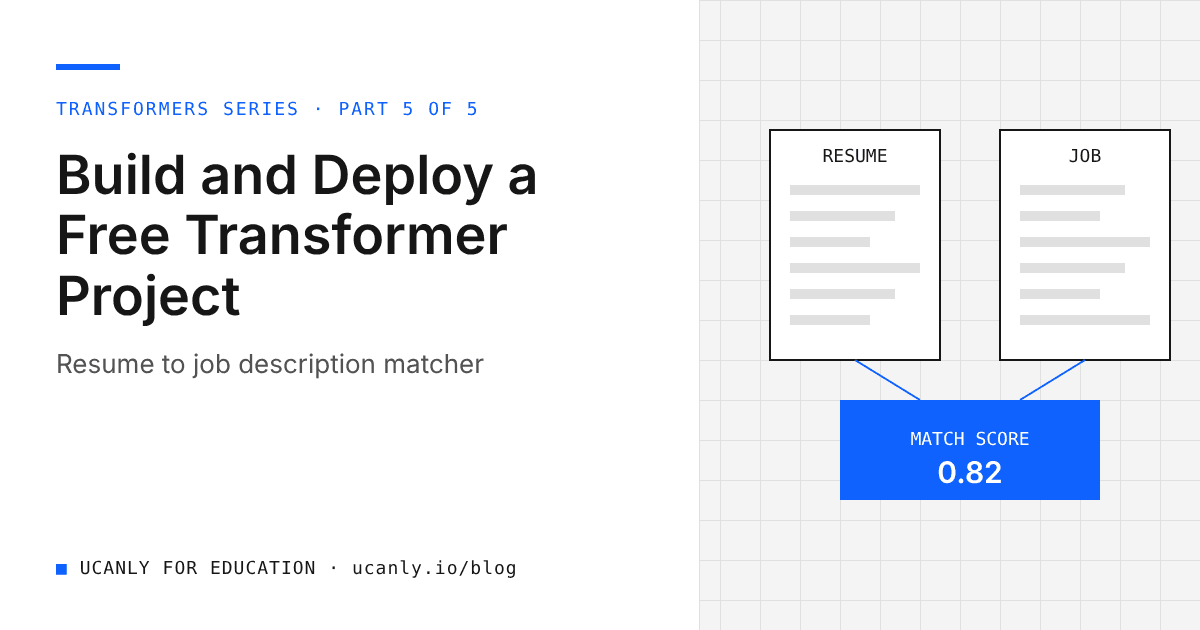
The app takes two inputs: the text of a resume and the text of a job description (JD). It returns two outputs:
- A semantic similarity score that measures how close the meaning of the resume is to the meaning of the JD.
- A list of keywords that appear in the JD but not in the resume, so the candidate knows what to add or learn.
The first part uses a sentence transformer. A sentence transformer converts a piece of text into a fixed length vector of numbers called an embedding. Texts with similar meaning end up with embeddings that point in similar directions. We compare the two embeddings using cosine similarity, which gives a value where higher means more similar.
This is better than plain word matching because embeddings understand that "built REST APIs with Flask" and "backend development in Python" are related, even though they share few words. The keyword check then complements it, because applicant tracking systems and recruiters often still look for exact terms.
We will use sentence-transformers/all-MiniLM-L6-v2, a small, popular, well documented model that is fast on CPU and good enough for this task.
Key takeaway: The project combines meaning (embeddings) with exact terms (keywords). Being able to explain why you need both is what turns a demo into a strong interview story.
Step 1: Set Up and Test the Core Logic
Start in a free Google Colab notebook or on your laptop. Install the two libraries:
pip install sentence-transformers gradio
Now test the similarity logic on its own before building any interface:
from sentence_transformers import SentenceTransformer, util

model = SentenceTransformer("sentence-transformers/all-MiniLM-L6-v2")

resume = "Final year CSE student. Built REST APIs with Flask and MySQL. Worked with pandas and scikit-learn."
jd = "Looking for a Python backend intern with experience in Flask, SQL databases and Docker."

embeddings = model.encode([resume, jd], convert_to_tensor=True)
score = util.cos_sim(embeddings[0], embeddings[1]).item()
print(f"Similarity: {score:.3f}")
model.encode returns one embedding per input text. util.cos_sim returns a small tensor of similarity values, and .item() converts the single value into a normal Python float. Swap in an unrelated JD, such as graphic design, and watch the score drop.
A note on long resumes
Like most transformer models, this one has a limited input length and silently truncates very long text. For a typical one page fresher resume this is usually fine. If you want to handle longer documents, split the resume into sentences or bullet points, encode each one, and compare every chunk with the JD. util.cos_sim(jd_embedding, chunk_embeddings) returns a matrix, so you can take the highest or average value.
Step 2: Add the Missing Keywords Check
Next, extract simple keywords from both texts and find what the JD has that the resume lacks. Keep it simple and transparent:
import re

STOPWORDS = {
    "the", "and", "for", "with", "you", "are", "our", "will", "have", "from",
    "this", "that", "your", "who", "can", "work", "team", "role", "experience",
    "looking", "good", "strong", "knowledge", "skills", "using", "must",
}

def extract_keywords(text):
    words = re.findall(r"[a-z][a-z0-9+#.]*", text.lower())
    cleaned = {w.strip(".") for w in words}
    return {w for w in cleaned if len(w) > 2 and w not in STOPWORDS}

missing = sorted(extract_keywords(jd) - extract_keywords(resume))
print(missing)
The regular expression keeps characters like +, # and . so that terms such as c++, c# and node.js survive. For the example above, the output includes docker, which tells the candidate exactly what is missing.
This approach ignores synonyms, drops very short terms like "Go" or "R", and uses a hand made stopword list. Knowing these limits is a strength in interviews.
Step 3: Wrap It in a Gradio App
Gradio lets you turn a Python function into a web interface in a few lines. Create a file named app.py:
import re
import gradio as gr
from sentence_transformers import SentenceTransformer, util

model = SentenceTransformer("sentence-transformers/all-MiniLM-L6-v2")

STOPWORDS = {
    "the", "and", "for", "with", "you", "are", "our", "will", "have", "from",
    "this", "that", "your", "who", "can", "work", "team", "role", "experience",
    "looking", "good", "strong", "knowledge", "skills", "using", "must",
}

def extract_keywords(text):
    words = re.findall(r"[a-z][a-z0-9+#.]*", text.lower())
    cleaned = {w.strip(".") for w in words}
    return {w for w in cleaned if len(w) > 2 and w not in STOPWORDS}

def match(resume_text, jd_text):
    if not resume_text.strip() or not jd_text.strip():
        return "Please paste both the resume and the job description.", ""
    embeddings = model.encode([resume_text, jd_text], convert_to_tensor=True)
    score = util.cos_sim(embeddings[0], embeddings[1]).item()
    missing = sorted(extract_keywords(jd_text) - extract_keywords(resume_text))
    missing_text = ", ".join(missing[:30]) if missing else "No obvious keywords missing."
    return f"{score * 100:.1f} / 100", missing_text

demo = gr.Interface(
    fn=match,
    inputs=[
        gr.Textbox(lines=12, label="Resume text"),
        gr.Textbox(lines=12, label="Job description"),
    ],
    outputs=[
        gr.Textbox(label="Semantic match score"),
        gr.Textbox(label="Keywords in the JD that are missing from the resume"),
    ],
    title="Resume to JD Matcher",
    description="Paste a resume and a job description to see how closely they match in meaning, plus keywords you may be missing.",
)

if __name__ == "__main__":
    demo.launch()
Run python app.py locally and open the address printed in the terminal. Test it with your own resume and a few real internship descriptions from a jobs board.
Treat the score as a relative signal, not a hiring verdict.
Step 4: Deploy Free on Hugging Face Spaces
Hugging Face Spaces hosts Gradio apps for free on basic CPU hardware. Free Spaces may go to sleep after a period of inactivity and wake up when someone visits, so the first load can be slow. Check the current free tier details on the Hugging Face Spaces page, since limits change over time.
Create a file named requirements.txt next to app.py:
sentence-transformers
gradio
Then deploy:
- Log in to Hugging Face and click New Space.
- Give it a clear name such as
resume-jd-matcher, choose Gradio as the SDK and select the free CPU hardware option. - Upload
app.pyandrequirements.txtusing the web interface, or clone the Space repository with Git and push the files. - Wait for the build to finish. The Logs tab shows installation progress and any errors.
If you prefer Git:
git clone https://huggingface.co/spaces/YOUR_USERNAME/resume-jd-matcher
cd resume-jd-matcher
# copy app.py and requirements.txt here
git add app.py requirements.txt
git commit -m "Add resume to JD matcher"
git push
Most build failures come from a misspelled package name or model id, so read the logs carefully.
Key takeaway: A live link removes all doubt. An interviewer can try your project in thirty seconds instead of trusting a line on your resume.
Step 5: Present It on GitHub, Your Resume and in Interviews
On GitHub
Push the same code to a public GitHub repository and structure the README well:
- One line summary: what the app does and who it helps.
- Live demo link to your Space, placed at the very top.
- Screenshot or short GIF of the app in action.
- How it works: embeddings with
all-MiniLM-L6-v2, cosine similarity withutil.cos_sim, and the keyword set difference. - Example results: a small table showing scores for a matching JD and an unrelated JD.
- Limitations: truncation of long text, no synonym handling in keywords, score is relative.
- Future work: chunking, a skills dictionary, section level matching.
- How to run locally: the two install and run commands.
Pin the repository on your GitHub profile so it is the first thing visitors see.
On your resume
Write one or two bullets that show action, tools and outcome without inflating anything:
Built and deployed a resume to job description matcher using sentence transformers (
all-MiniLM-L6-v2) and cosine similarity, with a missing keywords check; served as a Gradio app on Hugging Face Spaces (live link).
Add the live link and the GitHub link. Before you send applications, run your own resume through an AI resume review to check clarity and formatting.
In interviews
Prepare clear answers to the questions you will likely face:
- Why embeddings instead of keyword matching? Embeddings capture meaning, so related phrasing scores well even with different words.
- Why cosine similarity? It compares the direction of vectors, which is what matters for semantic closeness, and it is not affected by text length in the same way raw dot products can be.
- What are the limitations? Input truncation, a hand made stopword list, and a score that is relative rather than absolute.
- How would you improve it? Chunk the resume, use a curated skills list, compare section by section, or try a larger embedding model and measure the difference on a small labelled set you create.
- How would it scale? Precompute embeddings for many JDs and search them, which is the basis of semantic search.
Practise explaining the whole pipeline in under two minutes.
Four More Free Transformer Project Ideas
Once this project is live, these ideas follow the same build, deploy and present pattern:
- Hindi translation helper: use
Helsinki-NLP/opus-mt-en-hiwith the translationpipelineto translate English study notes or notices into Hindi. - Lecture notes summariser: use
facebook/bart-large-cnnwith the summarizationpipelineto condense long articles or transcripts. It is larger, so expect slower CPU responses. - Placement FAQ semantic search: embed a list of college placement FAQs with
all-MiniLM-L6-v2and return the closest answers to a student's question. - Review sentiment dashboard: use
distilbert-base-uncased-finetuned-sst-2-englishto classify canteen or app reviews as positive or negative and show simple counts.
Our courses cover the Python and machine learning foundations behind them.
What to Do Next
Build the core logic in Colab today, then move it into app.py and test it locally. Deploy it to Hugging Face Spaces, write a clear README with a live link, and add one honest bullet to your resume. Finally, rehearse the interview answers above until you can explain every design choice. One polished, deployed, well explained project will do more for your placement preparation than five half finished tutorials.